


Learn more with our online help.
Shopify's Connection Token

How to find your connection-token?
To create a Shopify’s connection, you will need a connection-token.
Follow below steps to create a connection-token:
- Go to the connection module and select a project in which you would like to create a connection-token.
- Click on Add button on top, then click the Shopify icon.
- You’ll see a screen like this
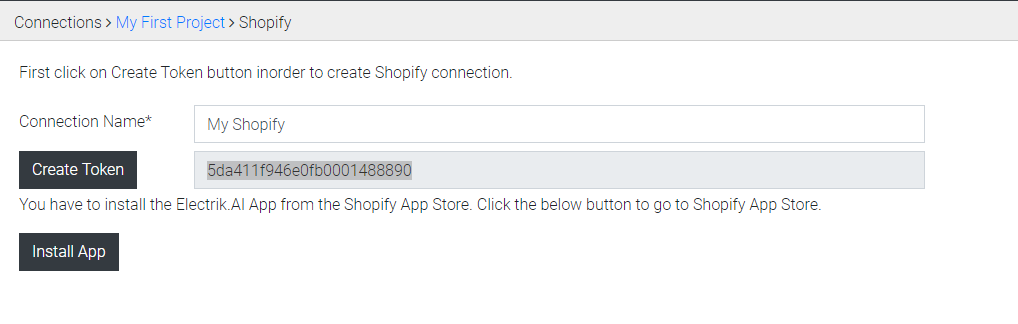
- Give a name for your connection and click the “Create Token” button.
- This will generate a connection-token for you. Copy this connection-token and click on install app.
- This will redirect you to the Shopify app store. In order to create a Shopify connection, you’ve to install the app on you shop.
- Click on the install button from Shopify app store.
- After clicking on the install button, you will be redirect to the Electrik.AI app where you will be asked to enter your connection-token.
- Enter the connection-token and save. This will create a connection in the project you’ve selected before while creating the connection-token.
- Finally, you’ll be redirected to the admin portal of Shopify.