


Electrik.AI exports data from your marketing data source to a database destination of your choice. It is important to note that Electrik.AI itself is not a destination. A destination is required to export data from various marketing data sources using Electrik.AI
Database Destination
PostgreSQL
PostgreSQL is a powerful, open source object-relational database system that uses and extends the SQL language combined with many features that safely store and scale the most complicated data workloads.
Create PostgreSQL connection in Electrik.AI
Step 1: Ensure you have following prerequisites to create a PostgreSQL Connection in Electrik.AI
- Database Connection Details such as Host, Port, DB Name, DB User, DB Password.
- Configure your firewall (if any) to allow access from our IP addresses.
- 35.223.21.196
- 35.223.76.77
- 35.188.97.12
- 34.74.190.66
- 35.185.113.93
- 34.73.203.5
Step 2: Signup for your Electrik.AI account
Step 3: Sign-in into your Electrik.AI account
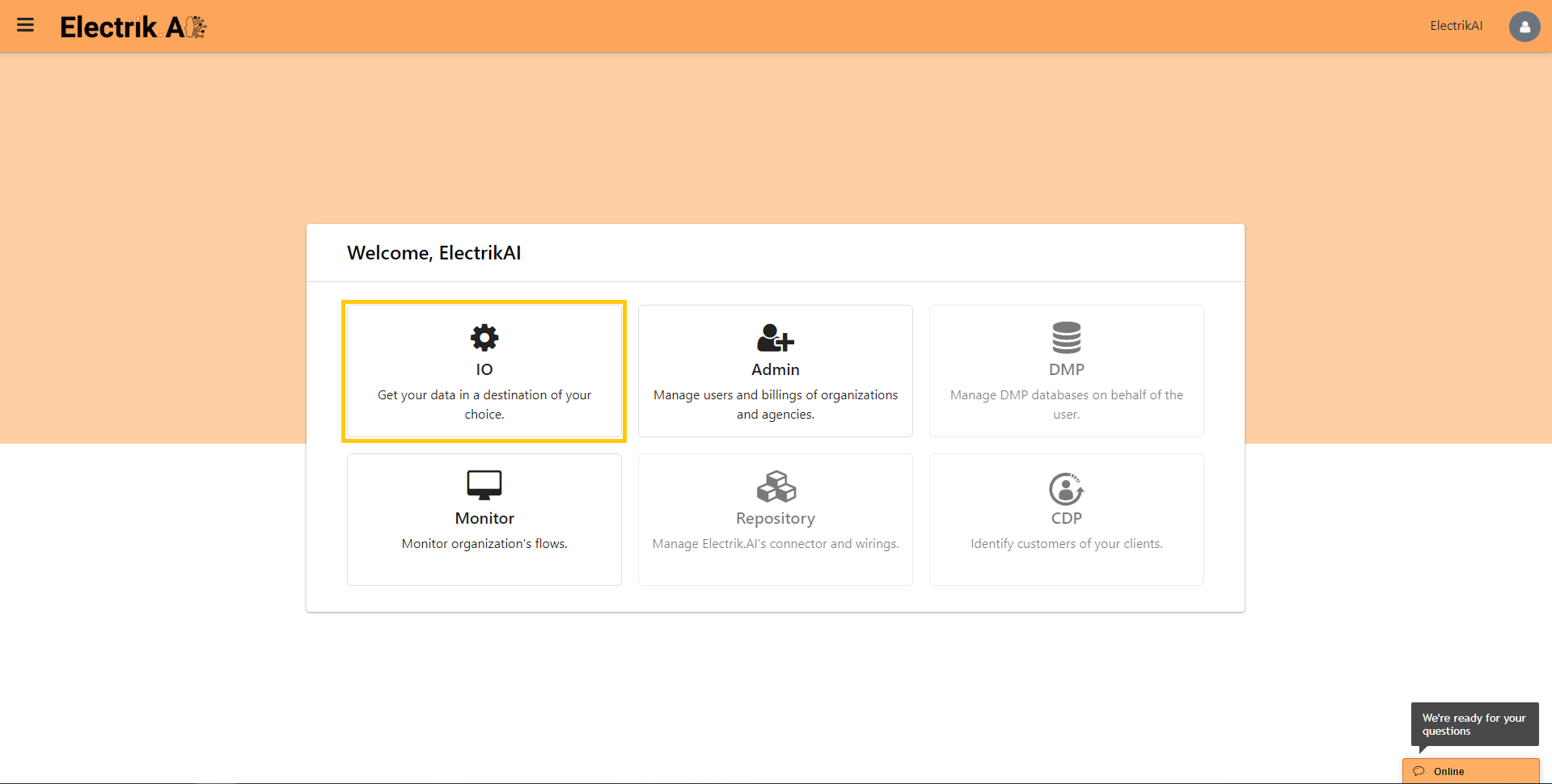
Step 4: Select IO in Electrik.AI dashboard
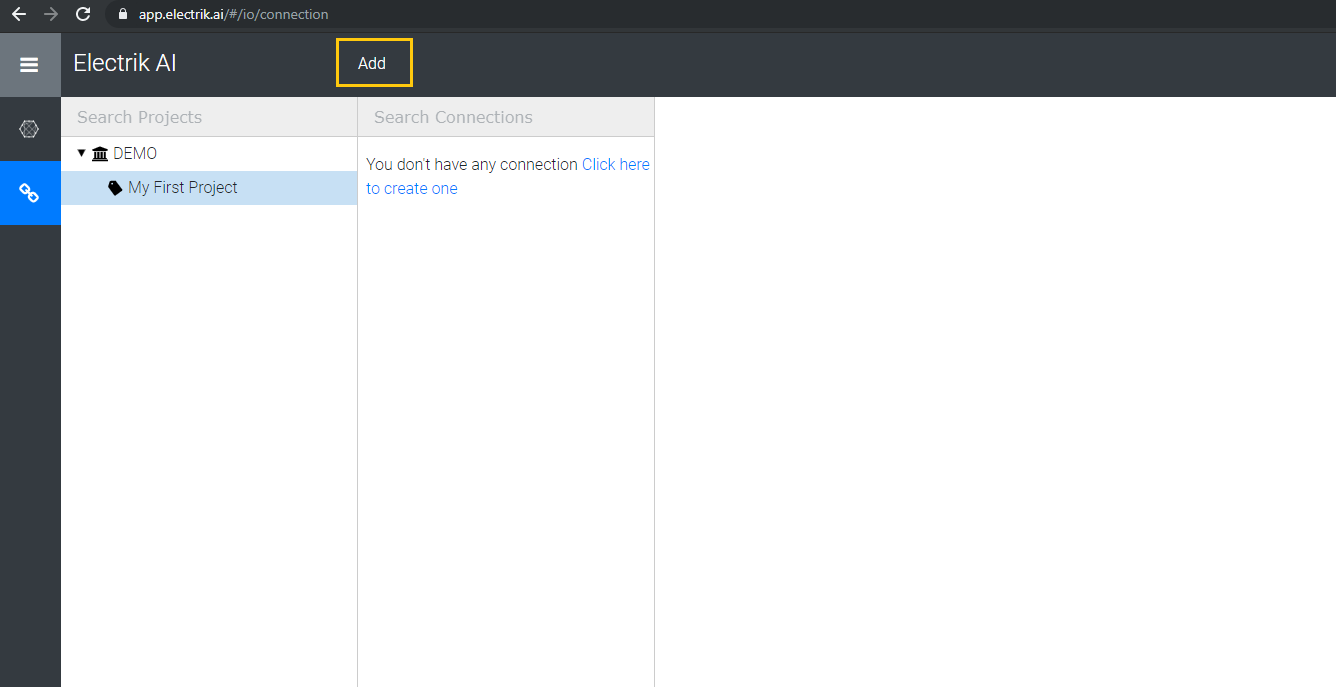
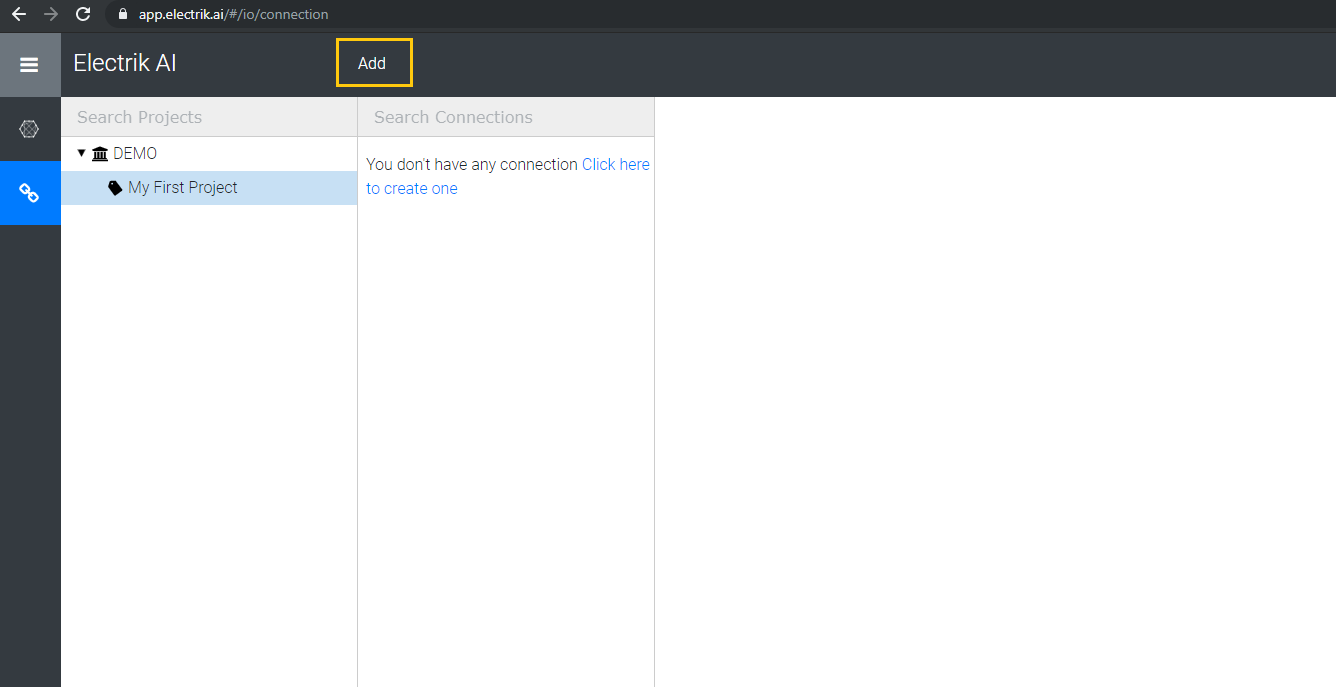
Step 5: Select the Connections Icon in the left most panel and Click on “Add” button the top.
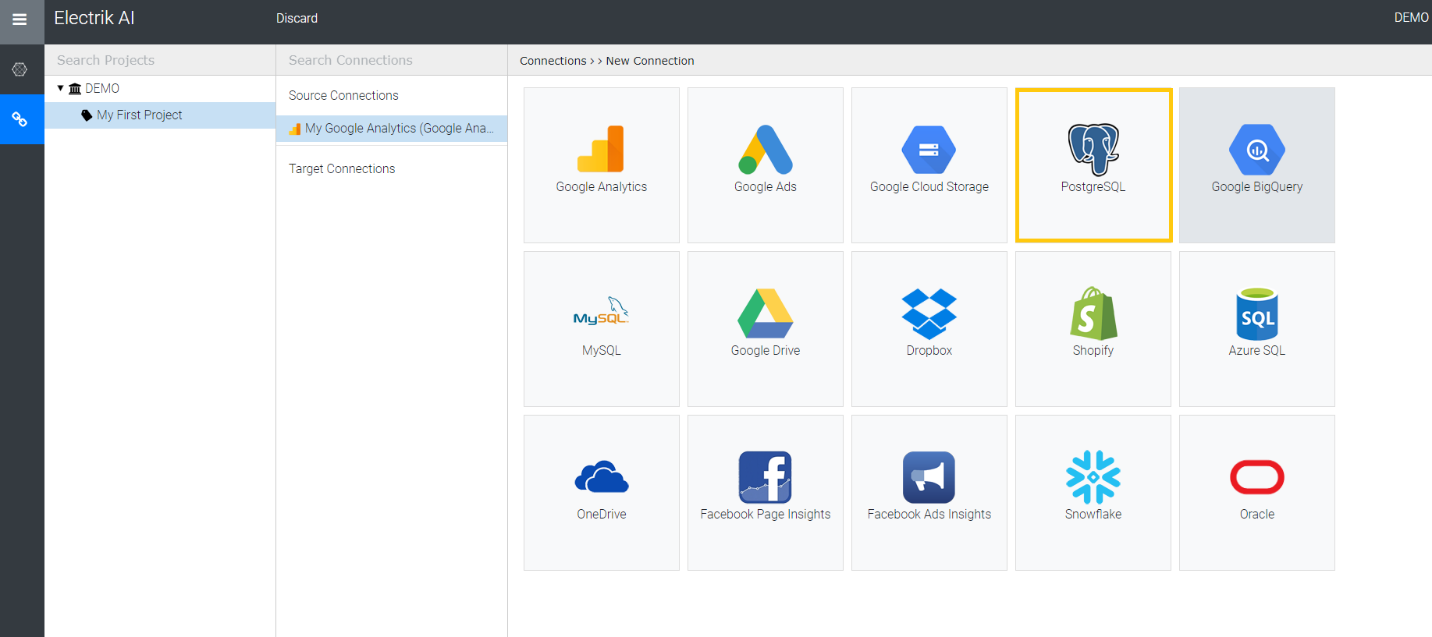
Step 6: Click on “PostgreSQL” icon to create a Google Cloud Storage connection.
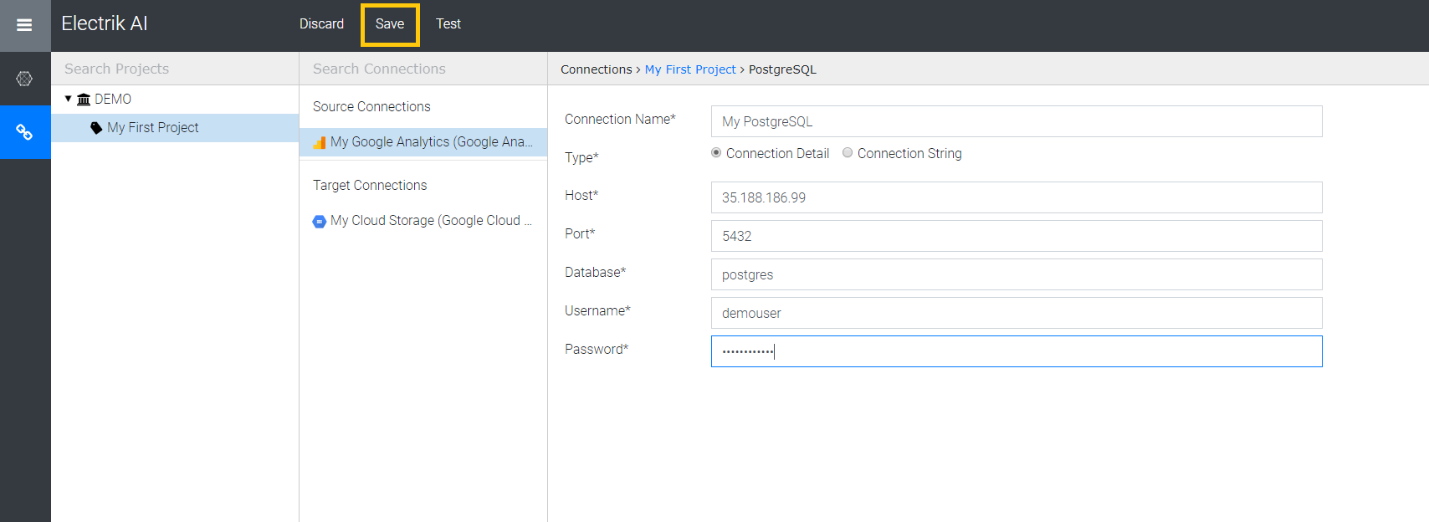
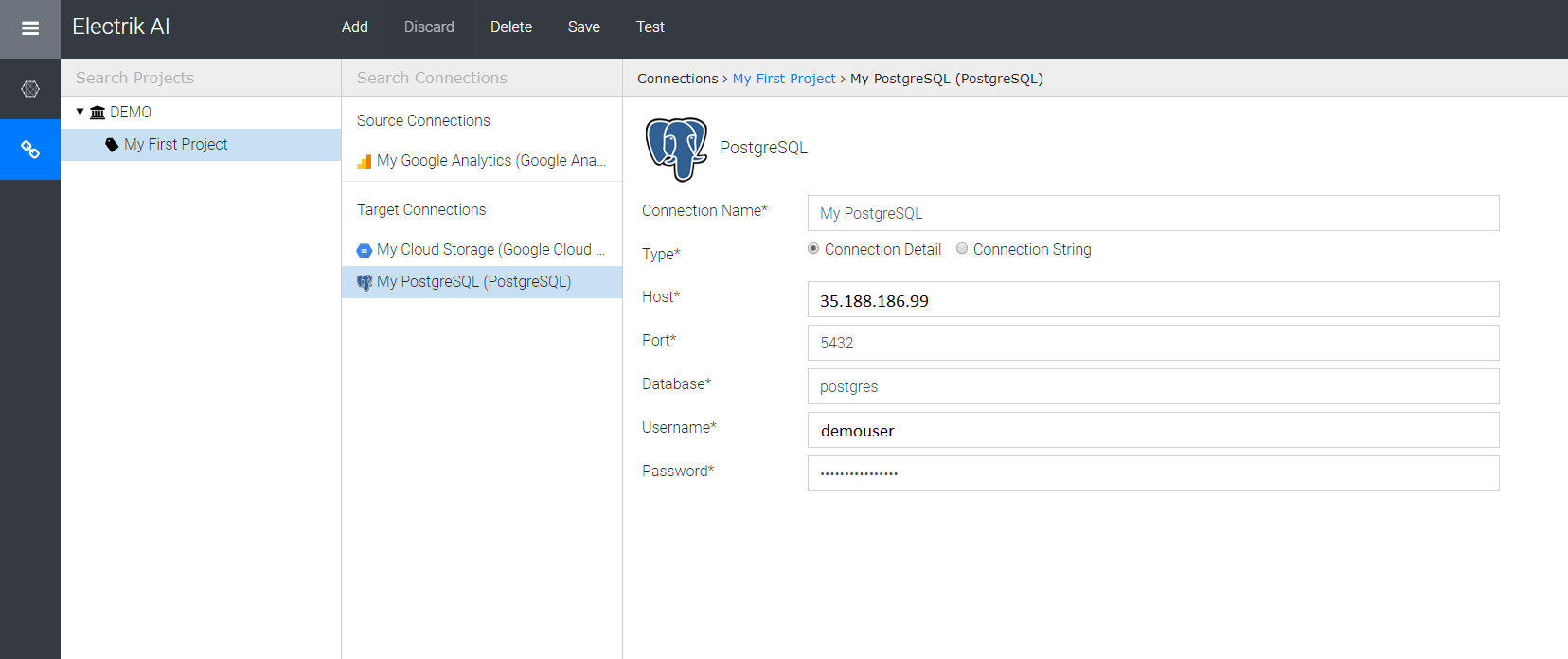
Step 7: Enter PostgreSQL database connection details, and click on “Save”.
Step 8: Congratulations you have successfully created a PostgreSQL database connection in Electrik.AI
MySQL
MySQL is one of the most popular Open Source SQL database management system, is developed, distributed, and supported by Oracle Corporation.
Create MySQL connection in Electrik.AI
Step 1: Ensure you have following prerequisites to create a MySQL Connection in Electrik.AI
- Database Connection Details such as Host, Port, DB Name, DB User, DB Password.
- Configure your firewall (if any) to allow access from our IP addresses.
- 35.223.21.196
- 35.223.76.77
- 35.188.97.12
- 34.74.190.66
- 35.185.113.93
- 34.73.203.5
Step 2: Signup for your Electrik.AI account
Step 3: Sign-in into your Electrik.AI account
Step 4: Select IO in Electrik.AI dashboard
Step 5: Select the Connections Icon in the left most panel and Click on “Add” button the top.
Step 6: Click on “MySQL” icon to create a MySQL database connection.

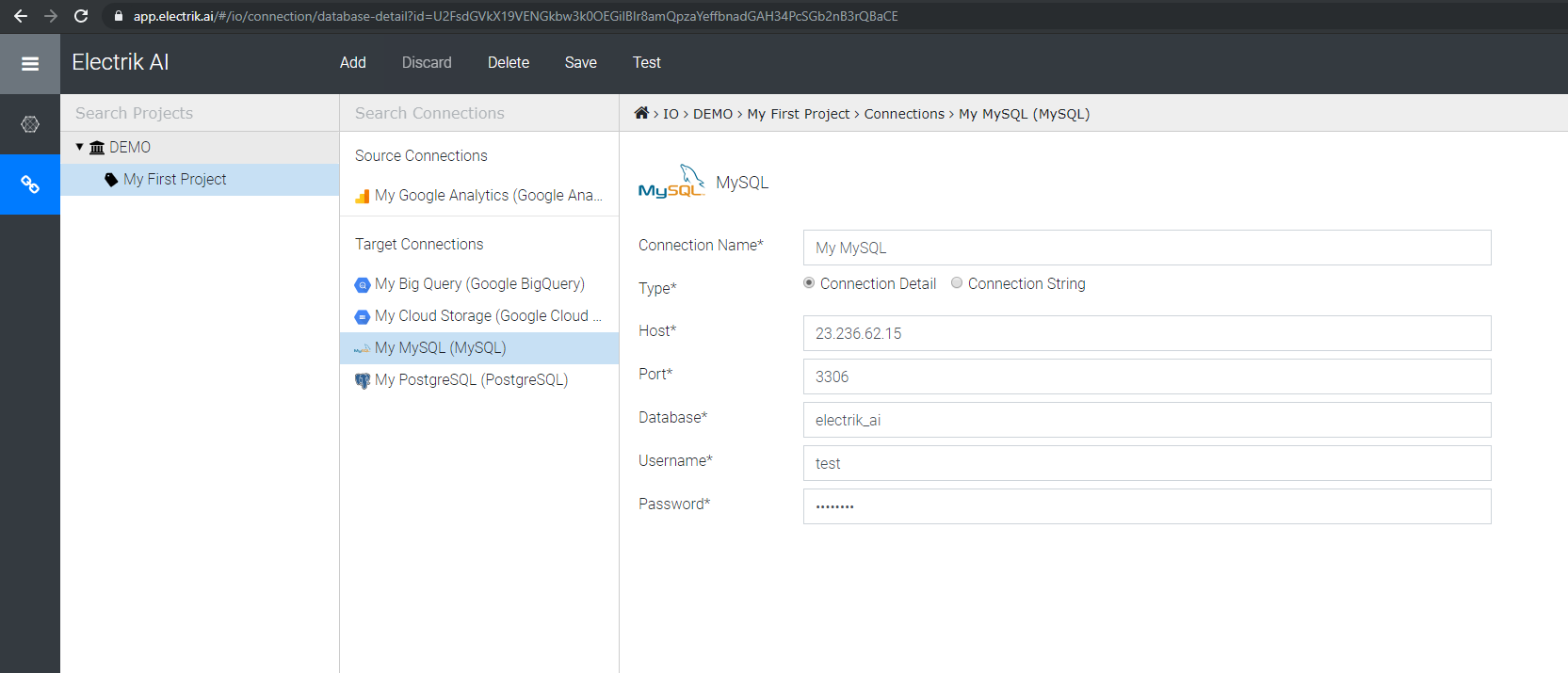
Step 7: Enter MySQL database connection details and click on “Save”.

Step 8: Congratulations you have successfully created a MySQL database connection in Electrik.AI
Google BigQuery
BigQuery is Google’s fully managed, petabyte scale, low cost analytics data warehouse. BigQuery is NoOps—there is no infrastructure to manage and you don’t need a database administrator—so you can focus on analyzing data to find meaningful insights, use familiar SQL, and take advantage of Google’s pay-as-you-go model.
Do not have a Google BigQuery account? Refer this link.
Create a Google BigQuery connection in Electrik.AI
Electrik.AI currently supports Google BigQuery as destination when exporting data from Google Ads. Drop us a message, if you don’t see your favorite data warehouse.
BigQuery is Google’s fully managed, petabyte scale, low cost analytics data warehouse. BigQuery is NoOps – there is no infrastructure to manage and you don’t need a database administrator – so you can focus on analyzing data to find meaningful insights, use familiar SQL, and take advantage of Google’s pay-as-you-go model.
Don’t have a Google BigQuery account? Refer this link.
Step 1: Ensure you have following prerequisites to create a Google BigQuery Connection in Electrik.AI
- Access to Google BigQuery
- Google BigQuery Account User Id and Password.
Step 2: Signup for your Electrik.AI account
Step 3: Sign-in into your Electrik.AI account
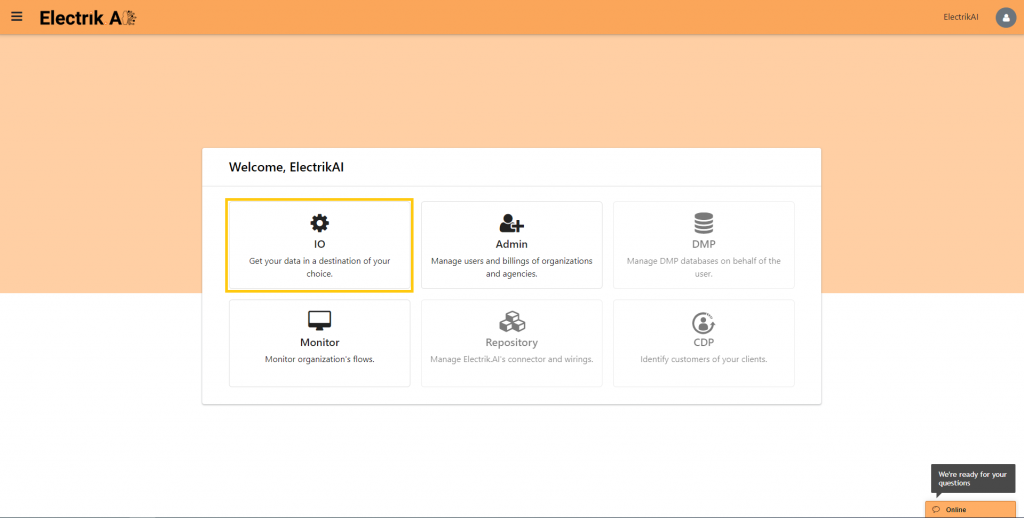
Step 4: Select IO in Electrik.AI dashboard
Step 5: Select the Connections Icon in the left most panel and Click “Add” button at the top.
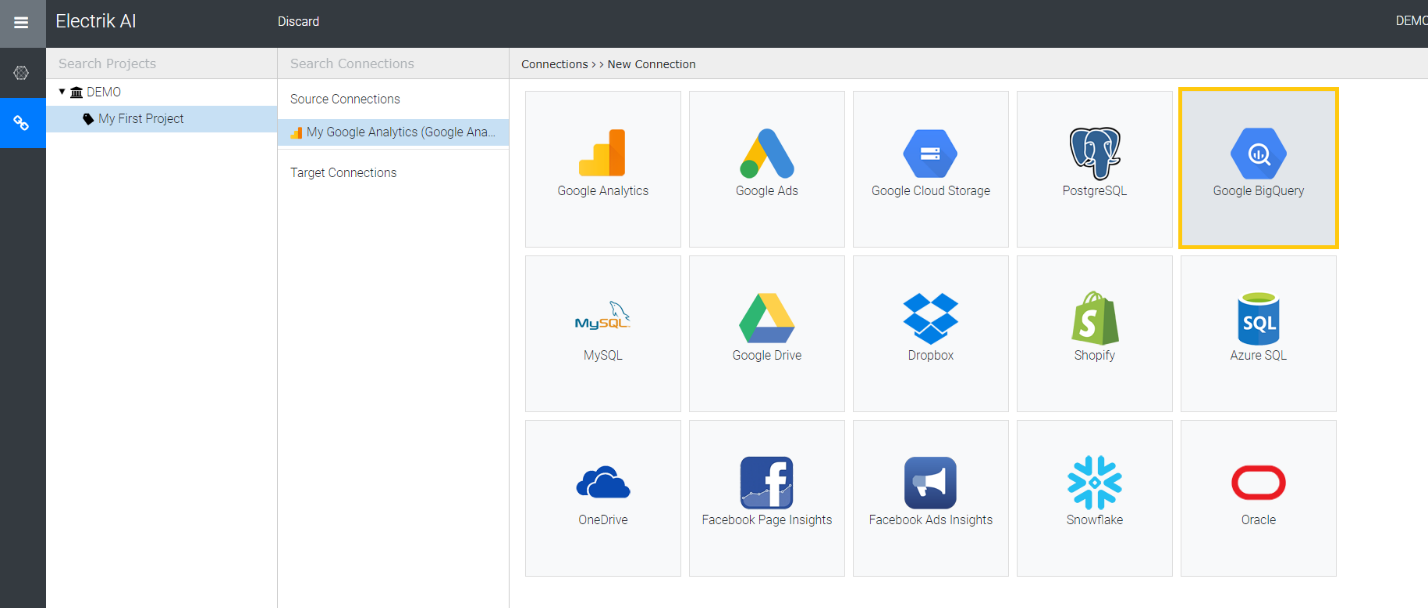
Step 6: Click on “Google BigQuery” icon to create a Google BigQuery connection.
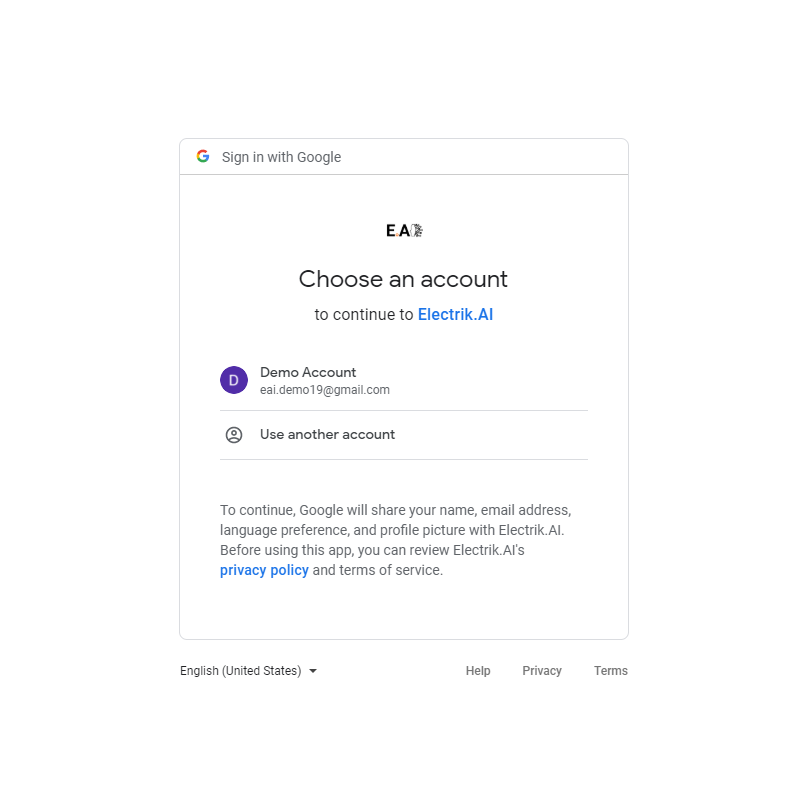
Step 7: Enter your Google Cloud Platform UserId and Password.
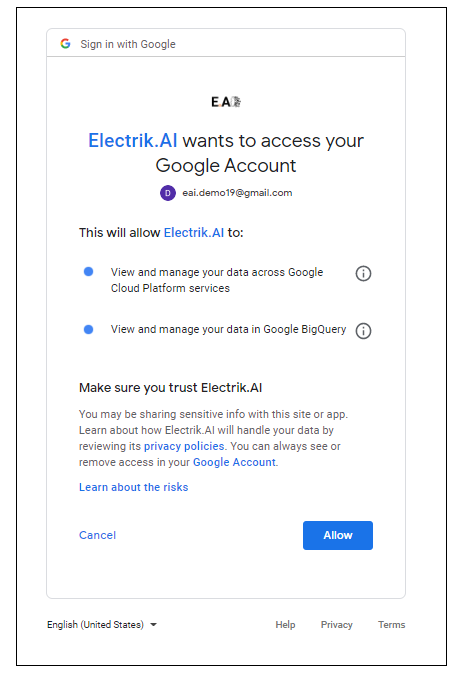
Step 8: Allow Electrik.AI to access your Google BigQuery account.
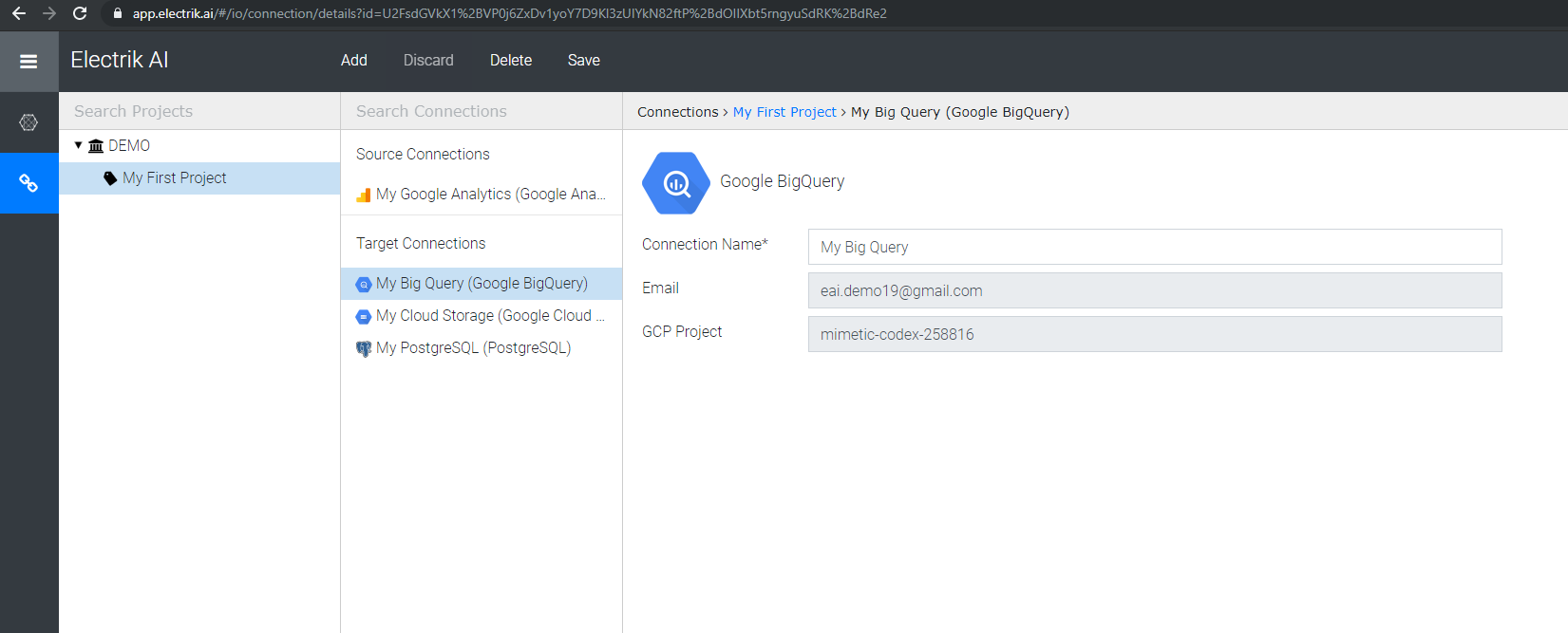
Step 9: Choose your Google BigQuery Project

Note: Google BigQuery Project can be found in your Google BigQuery console. Refer screenshot below for details.

Step 10: Click “Save”, to continue.
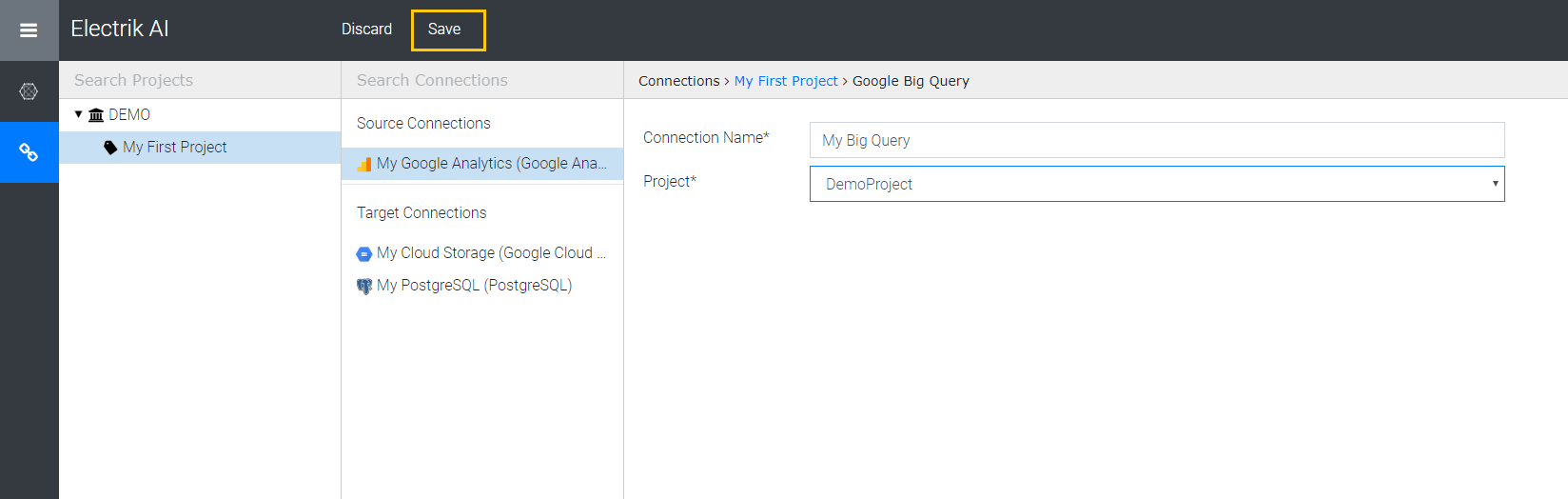
Step 11: Congratulations, you have successfully created a Google BigQuery connection in Electrik.AI
Azure SQL
Microsoft Azure SQL Database is a relational database service in the cloud based on the market-leading Microsoft SQL Server engine, with mission-critical capabilities. SQL Database delivers predictable performance, scalability with no downtime, business continuity and data protection—all with near-zero administration.
Electrik.AI’s Search Analytics Report Extractor, gets your Search Analytics report of your website from Google Ads Performance Report to Database of your choice.
Create Azure SQL connection in Electrik.AI
Step 1: Ensure you have following prerequisites to create a PostgreSQL Connection in Electrik.AI
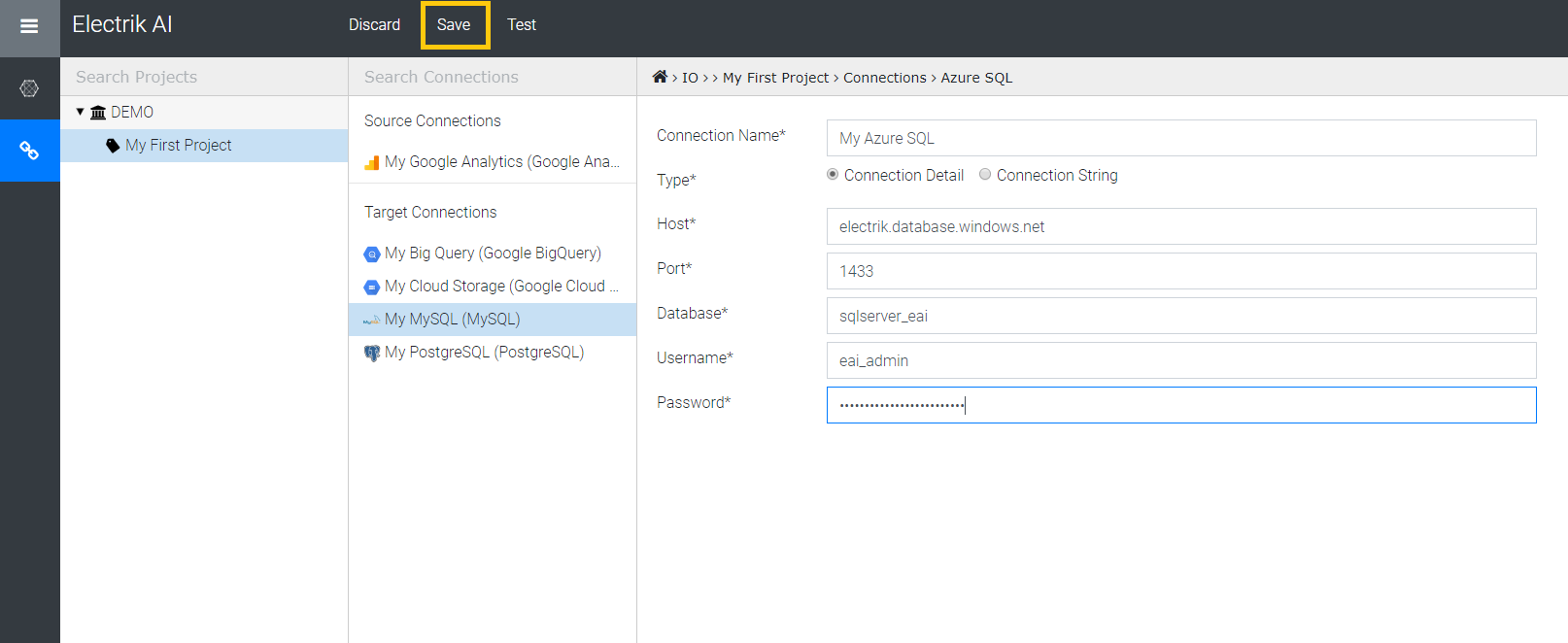
- Database Connection Details such as Host, Port, DB Name, DB User, DB Password.
- Configure your firewall to allow access from our IP addresses.
- 35.223.21.196
- 35.223.76.77
- 35.188.97.12
- 34.74.190.66
- 35.185.113.93
- 34.73.203.5
Step 2: Signup for your Electrik.AI account
Step 3: Sign-in into your Electrik.AI account
Step 4: Select IO in Electrik.AI dashboard
Step 5: Select the Connections Icon in the left most panel and Click on “Add” button the top.
Step 6: Click on “Azure SQL” icon to create an Azure SQL database connection.

Step 7: Enter Azure SQL database connection details and click on “Save”.
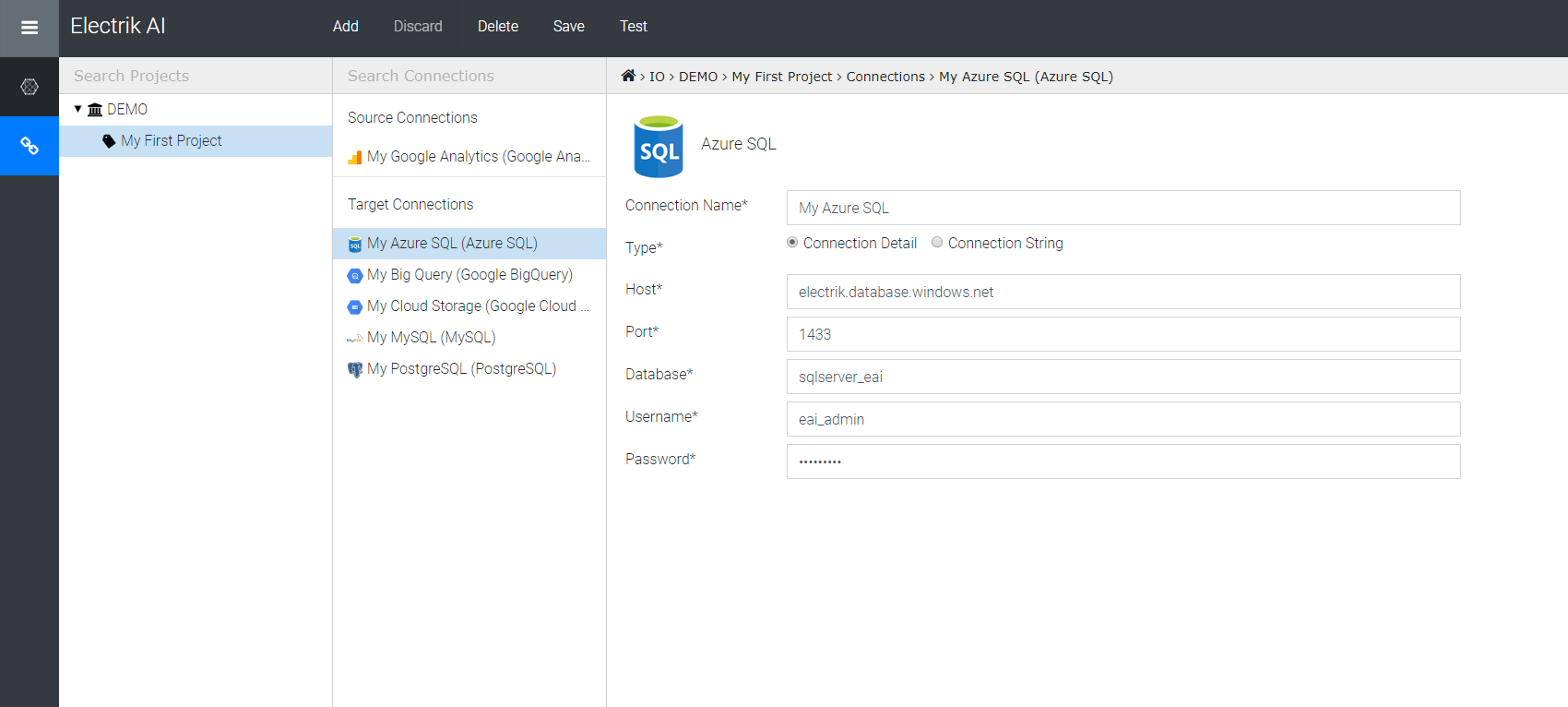
Step 8: Congratulations you have successfully created a Azure SQL database connection in Electrik.AI
Azure Synapse
Azure Synapse(formerly Azure Data Warehouse) is a limitless analytics service that brings together enterprise data warehousing and Big Data analytics. It gives you the freedom to query data on your terms, using either serverless on-demand or provisioned resources—at scale. Azure Synapse brings these two worlds together with a unified experience to ingest, prepare, manage, and serve data for immediate BI and machine learning needs.
Drop us a message if you want to use Azure Synapse as a Destination for your Google Seach Console data in Electrik.AI
Amazon Redshift
Amazon Redshift is a fully managed petabyte-scale data warehouse service in the cloud designed for large scale data set storage and analysis. Redshift’s column-oriented database is designed to connect to SQL-based clients and business intelligence tools, making data available to users in real time.
Drop us a message, if you want to use Amazon Redshift as a Destination in Electrik.AI
Snowflake
Snowflake is an analytic data warehouse provided as Software-as-a-Service (SaaS). Snowflake provides a data warehouse that is faster, easier to use, and far more flexible than traditional data warehouse offerings.
Snowflake’s data warehouse is not built on an existing database or “big data” software platform such as Hadoop. The Snowflake data warehouse uses a new SQL database engine with a unique architecture designed for the cloud.
Drop us a message, if you want to use Snowflake as a Destination in Electrik.AI